

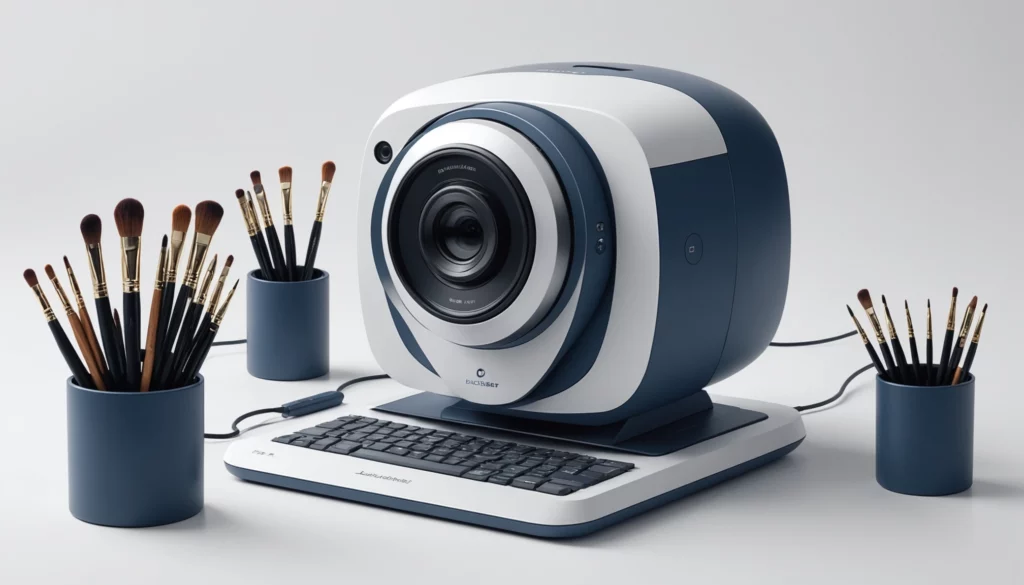
Remember those days when industrial design sketches took weeks to perfect between countless revisions and endless coffee runs? Those times are officially behind us.
AI image generators for industrial design have completely transformed how creators bring concepts to life, turning hours of work into mere minutes of refined experimentation. Whether you’re designing the next ergonomic office chair or envisioning futuristic automotive concepts, these tools have become your secret weapon in the competitive product development landscape.
### 1. Midjourney
When you need photorealistic renders that make clients speechless, Midjourney delivers like no other. I’ve watched our design team at Proxyle create stunningly detailed product visualizations that sometimes look more real than photographs.
Its strength lies in understanding complex material properties and lighting situations. You can specify everything from brushed aluminum textures to the way light refracts through translucent plastics.
Quick Win: Use the “sizzle” parameter to enhance those metallic and glass surfaces.
### 2. DALL-E 3
OpenAI’s DALL-E 3 has this uncanny ability to translate extremely specific design briefs into visual gold. We’ve used it extensively for rapid concept exploration when clients aren’t quite sure what they want visually.
The tool excels at understanding industry terminology and design constraints. Unlike earlier versions, it handles functional aspects and mechanical components with surprising accuracy.
### 3. Stable Diffusion
For those who want complete control over the generation process, Stable Diffusion offers unparalleled customization options. Its open-source nature means you can fine-tune models specifically for industrial design applications.
I’ve found that with the right training data, it can develop a remarkable understanding of manufacturing constraints and material properties.
Quick Win: Train a custom model on your product line to maintain brand consistency across all AI-generated visuals.
### 4. Adobe Firefly
Designers already immersed in the Adobe ecosystem will find Firefly remarkably intuitive. Its integration with existing workflow tools makes it a natural extension rather than a separate learning curve.
The commercial-safe training data gives legal teams peace of mind when using AI-generated imagery in client presentations.
### 5. Designify
When you need to quickly transform basic sketches into presentation-ready concepts, Designify specializes in this exact workflow. We’ve used it extensively during early client meetings to show multiple design directions simultaneously.
Its understanding of form and shadow makes it particularly valuable for interior and furniture design concepts.
### 6. Krita AI
For designers who prefer working within traditional illustration software, Krita’s AI integration offers the best of both worlds. It maintains the familiar interface while adding intelligent generation tools.
The brush stroke simulation is particularly impressive when creating those hand-drawn technical illustrations that still carry the human touch.
### 7. Leonardo.Ai
Leonardo has built a strong reputation in the gaming and concept art community, but its applications for industrial design are equally impressive. We’ve used it specifically for creating alternative design variations that push creative boundaries.
Its built-in 3D-to-image workflow makes it invaluable when exploring how lighting affects product appearance.
### 8. Canva Magic Studio
For industrial design teams that need professional presentations quickly, Canva’s AI-powered design studio accelerates the workflow significantly. It’s particularly useful for creating those crucial pitch decks that win projects.
The Magic Edit feature lets you make precise adjustments to AI-generated images without leaving the platform.
### 9. CompVis Lab’s BLIP
BLIP (Bootstrapping Language-Image Pre-training) offers exceptional text understanding when you need to specify highly technical requirements. This comes in handy when documenting design iterations with precise engineering notes.
Its ability to generate captions and descriptions for existing images helps maintain documentation throughout the design process.
### 10. Runway Gen-2
Runway has evolved beyond simple static image generation into animation and video, making it perfect for showing product functionality. We’ve created compelling short videos demonstrating how new designs work in real-world scenarios.
The tool’s understanding of physics and movement makes it surprisingly accurate for mechanical visualization.
### 11. DreamStudio
Built on Stable Diffusion but with a user-friendly interface, DreamStudio bridges the gap between technical complexity and accessible design work. It strikes a good balance between customization options and ease of use.
I particularly appreciate how it maintains consistency across multiple product view generations.
### 12. Neural Love
When you need that artistic touch to make technical designs more emotionally appealing, Neural Love excels at adding creative flourishes to industrial concepts. It’s great for lifestyle imagery that places products in aspirational contexts.
The tool’s “Style Transfer” feature helps maintain brand aesthetic while exploring new design directions.
### 13. Deep Dream Generator
Google’s Deep Dream Generator creates those surreal, dreamlike visuals that can spark unexpected design directions. While not typically photorealistic, it excels at breaking creative blocks during the ideation phase.
We’ve found it particularly useful when clients request something “completely different” from their usual design language.
Key Observation: Sometimes the most impractical AI-generated concepts contain elements worth exploring in more realistic applications.
### 14. AutoDraw
For rapid sketching and ideation, Google’s AutoDraw suggests professional-quality drawings based on your rough scribbles. It’s perfect for those collaborative whiteboard sessions where quick visualization matters more than photorealism.
The tool is particularly useful during early brainstorming phases with multidisciplinary teams.
### 15. ClipDrop by Stability AI
ClipDrop’s real-world object capture capabilities make it valuable for incorporating existing elements into new designs. We’ve used it to quickly capture material references during factory visits or showroom explorations.
The background removal tools are also exceptionally accurate when creating product silhouettes.
### 16. Plexi.art
Specializing in architectural and structural design visualization, Plexi.art understands spatial relationships and engineering constraints better than most general-purpose generators. It handles complex geometric patterns and structural elements with impressive accuracy.
The tool is particularly valuable for designing large-scale industrial installations or factory layouts.
### 17. StarryAI
StarryAI offers a mobile-first approach to AI generation, making it perfect for capturing design inspiration on the fly. Its intuitive interface makes it accessible even to team members without specialized design training.
We’ve integrated it into our mobile workflow for capturing and refining ideas during site visits and client meetings.
### 18. Artbreeder
Artbreeder’s unique approach allows you to “breed” different design concepts together, creating unexpected combinations that often result in brilliant solutions. The collaborative aspect means team members can iteratively improve on each other’s generated concepts.
This tool has become our go-to when we need to merge different client preferences into a single cohesive design direction.
Workflow Integration Tip
Implement a central repository for AI-generated concepts with version control. This prevents losing promising iterations and creates a searchable inspiration database for future projects.
### 19. NightCafe Creator
NightCafe combines multiple generation algorithms into one platform, offering versatility when different approaches work better for particular design challenges. The social aspect also provides inspiration from how other designers solve similar problems.
We particularly appreciate its ability to maintain consistent style across multiple product variations.
### 20. DeepAI
DeepAI offers a straightforward, no-frills approach to AI generation that focuses on reliability and speed. Its text-to-image API integrates seamlessly with existing design workflows, making it valuable for teams building custom automation solutions.
The tool’s simplicity means less time learning complex interfaces and more time focused on design outcomes.
Have you considered how your current design process could benefit from automated concept generation? What time-consuming tasks would you eliminate if you could instantly visualize multiple design directions?
Initial Sketch
Traditional hand-drawn concept showing basic form and proportions.
AI Enhancement
AI-refined visualization with materials, lighting, and context.
## Making AI Work for Your Design Process
Successfully integrating these tools requires more than justtechnical know-how. You need a thoughtful approach that respects both the creative process and practical design constraints. Start with small experiments on non-critical projects to build confidence and develop workflows.
The most successful implementations we’ve seen at Proxyle emerge when teams treat AI as a creative partner rather than replacement tool. Maintaining human oversight ensures that functional requirements and brand consistency are never sacrificed for technological novelty.
Have you identified which aspects of your current workflow could be automated without compromising design quality? Where would you start your AI integration journey?
Strategic Highlight
Document successful prompts and generation parameters. Building a shared library of effective techniques accelerates team adoption and prevents knowledge loss when team members change.
## Quality Control in the Age of AI
Even the most advanced text to image generators occasionally produce impractical or manufacturing-impossible designs. Establishing review checkpoints ensures that AI-generated concepts remain grounded in production reality.
Our experience shows that combining AI generation with traditional CAD validation creates the most efficient workflow. Generative tools excel at exploration, while specialized software ensures feasibility. IdentityAI Pro, our proprietary system, demonstrates how these complementary approaches can be seamlessly integrated into a unified platform.
What quality checkpoints should you establish to maintain design excellence while embracing AI generation tools? How will you balance creative exploration with practical constraints?
## Building Your AI-Assisted Design Toolkit
Rather than overwhelming your team with every available option, start with 2-3 tools that address different aspects of your design pipeline. Our recommended starter combination typically includes one highly customizable option like Stable Diffusion, one user-friendly choice like Adobe Firefly, and one specialized tool relevant to your industry.
This measured approach allows teams to develop competency without feeling overwhelmed. As comfort grows, additional tools can be evaluated based on specific project requirements.
Quick Win: Create standardized prompt templates for common design scenarios to maintain consistency while enabling rapid generation.
Insider Observation
The most successful teams designate “AI champions” who become power users and mentors. This peer-to-peer learning approach often outperforms formal training programs for creative tools。
## Measuring Return on Investment
As with any technology investment, success metrics should be clearly defined from the outset. While time savings are obvious benefits, we often find that improved client satisfaction due to faster iteration cycles provides the most significant long-term value.
Track metrics like concept exploration speed, client approval rates, and revision requirements to quantify the impact of AI generation tools. This data helps justify continued investment and guides future technology decisions.
Before AI Implementation
2-3 weeks for initial concepts
Multiple design iterations
Limited exploration time
After AI Implementation
2-3 days for initial concepts
Rapid design refinement
Expanded creative boundaries
## The Human Element Remains Essential
Despite technological advances, the designer’s judgment, empathy, and creative vision remain irreplaceable. The most compelling results emerge when AI handles repetitive generation tasks while humans focus on concept curation and refinement.
Remember that tools are merely enablers. Your design expertise is what transforms impressive AI outputs into meaningful product solutions that connect with users on an emotional level.
## Bottom Line
AI image generators have firmly established themselves as valuable allies in the industrial design landscape. Rather than replacing human creativity, these tools enhance our natural abilities to imagine, iterate, and innovate.
Starting small with carefully selected tools creates a sustainable path toward full integration. Focus on solving specific workflow challenges rather than adopting technology for its own sake.
The future of industrial design belongs to those who successfully blend human creativity with intelligent automation. Where will you begin this transformation in your own practice?

